User Onboarding
Introduction
Odcanit Platinum is Israel’s leading legal CRM, with over 50 new law firms every month. However, for a long time, setting up a new office was a major headache.
The setup process was so complex that it required hours of manual training and expert guidance. The process that should have been a quick setup often dragged on for weeks. As the sole Product Designer, I was tasked with taking this messy, manual bottleneck and turning it into a fast, independent self-service experience.
My Role
Conducting interviews and observations to understand user pain points and analyzing usage data
Mapping out the new onboarding stages while aligning them with our business goals
Creating a clean, modern interface and building the interactive components
Leading the project from start to finish and ensuring all requirements were met
Project Scope
Team - Myself, Product Team lead, Development, and training team.
Duration - 8 weeks from scratch to production
Tools
Design - Figma
Collaboration - Interior systems
Video of the Flow
The Problem
Users had to wait days or even weeks just to start using the platform, because of mandatory training by the company's trainers
The onboarding process was completely dependent on manual installation and human training, creating a massive bottleneck. new users had to wait days or even weeks just to get their first guided session and start using the platform. This dependency delayed user value and created constant frustration during the most critical stage of the journey.
18 Min'
Average time spent on initial technical settings
4 Hours
Spent on manual training for every new client
4.8 Days
Average wait time for a user to get their first training session
62%
Of users expressed frustration with the setup process

"We bought the platform to start working, but we’re just sitting here, waiting for a training slot to open up while our case files are piling up. Such a waste of time."
Yuval, Law Firm Partner
The Strategic Challenge
Simplifying a highly complex system into a focused, easy flow that covers the core settings and needs of most users

The Solution
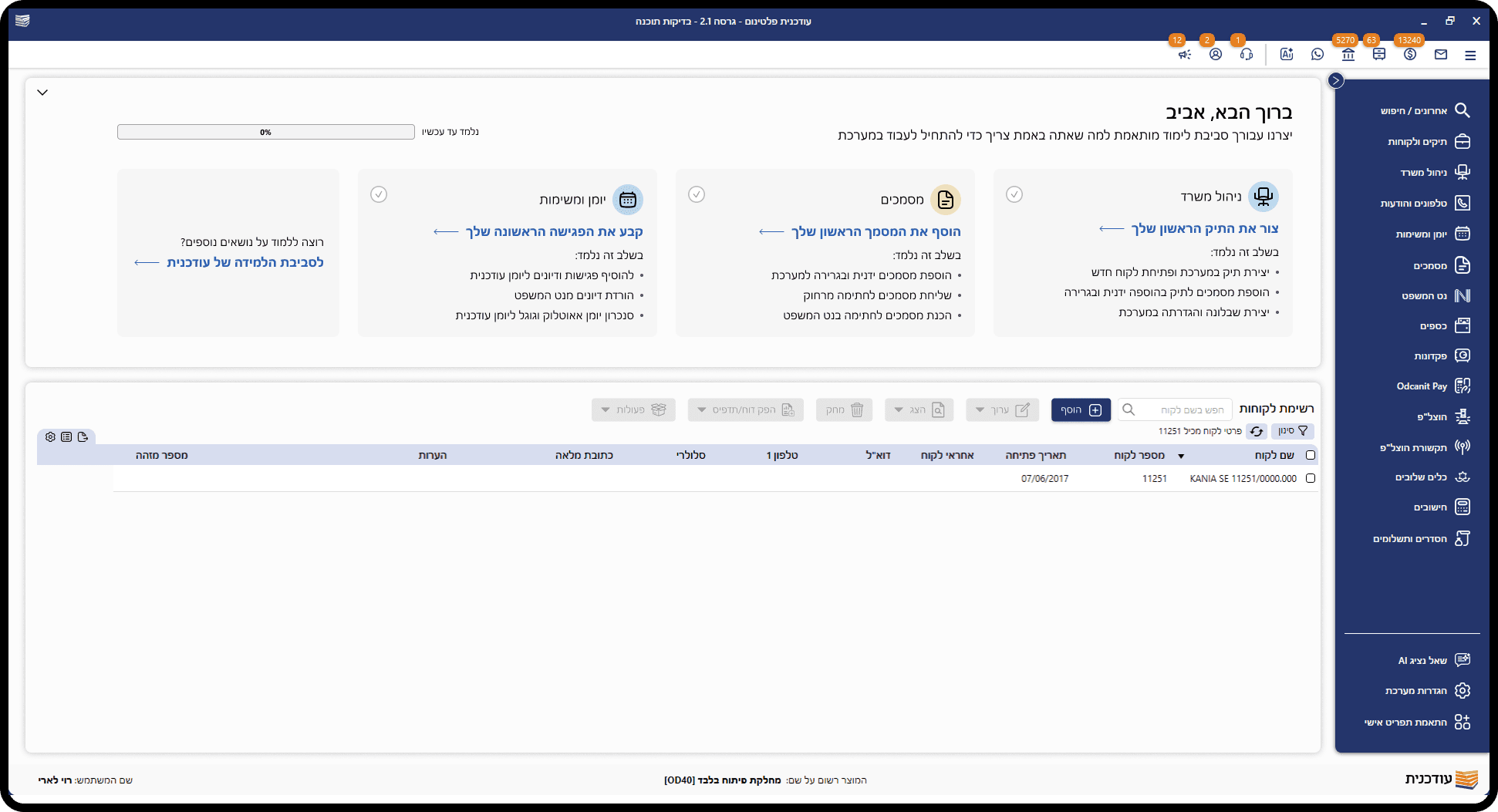
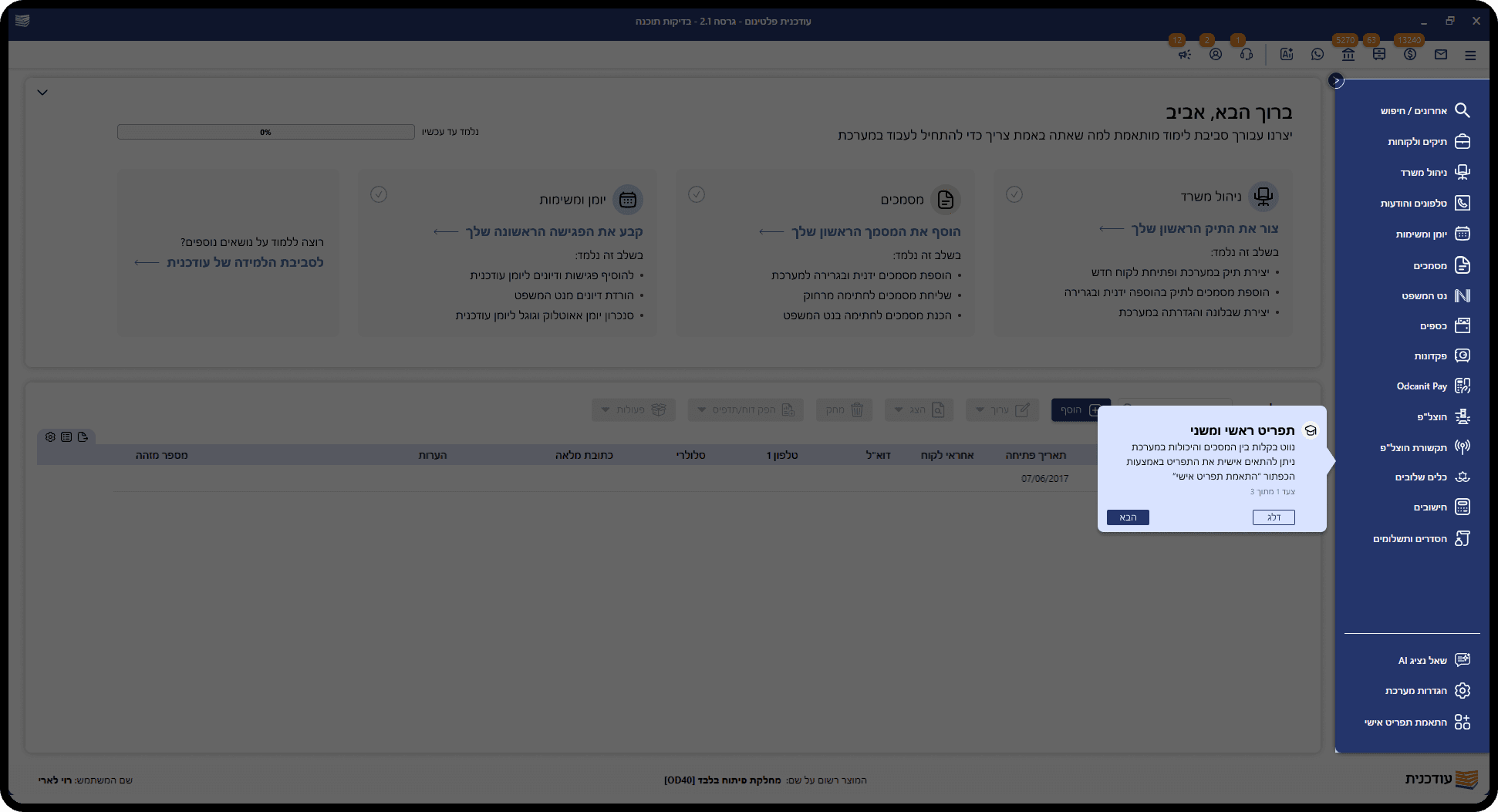
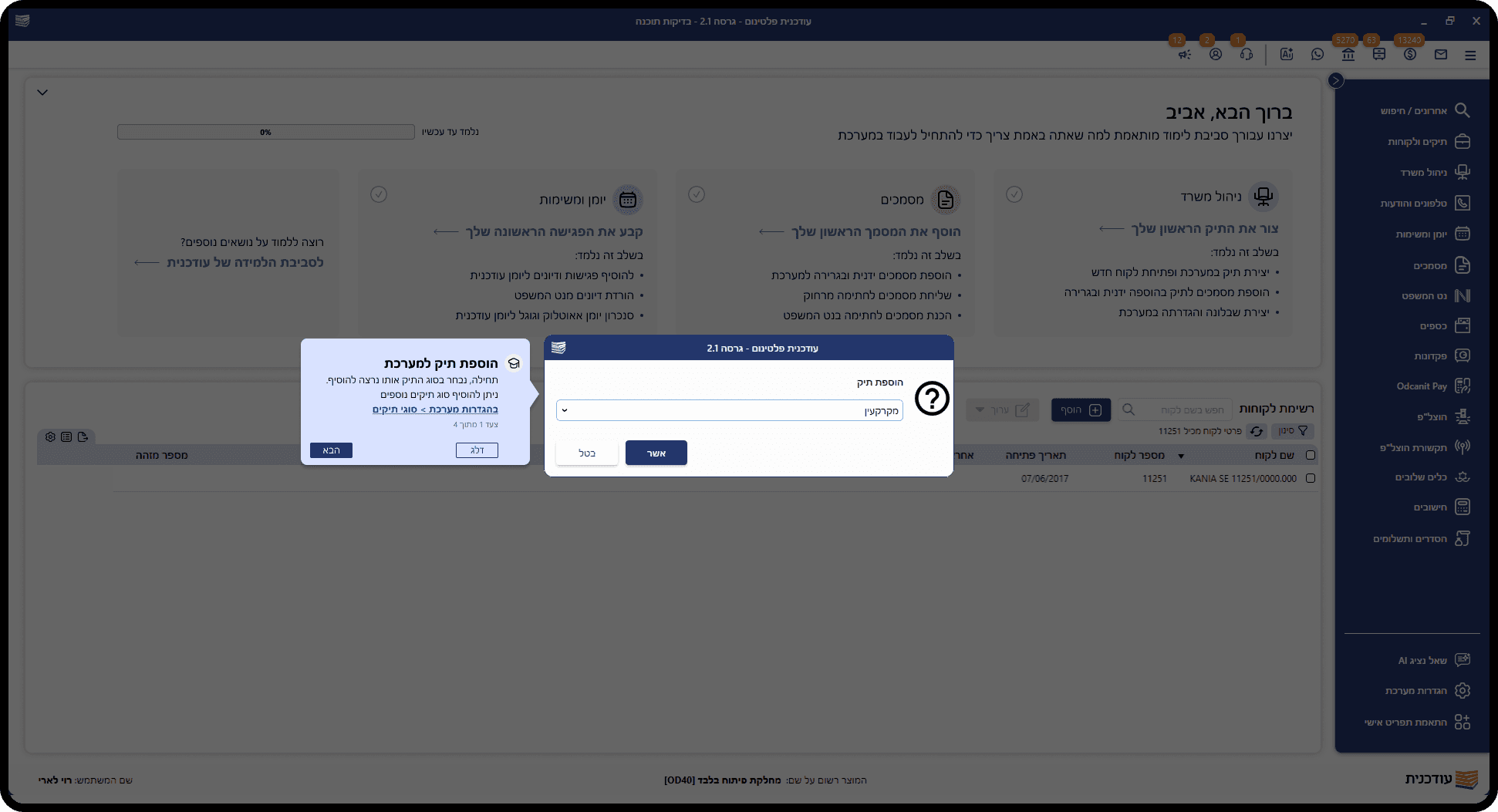
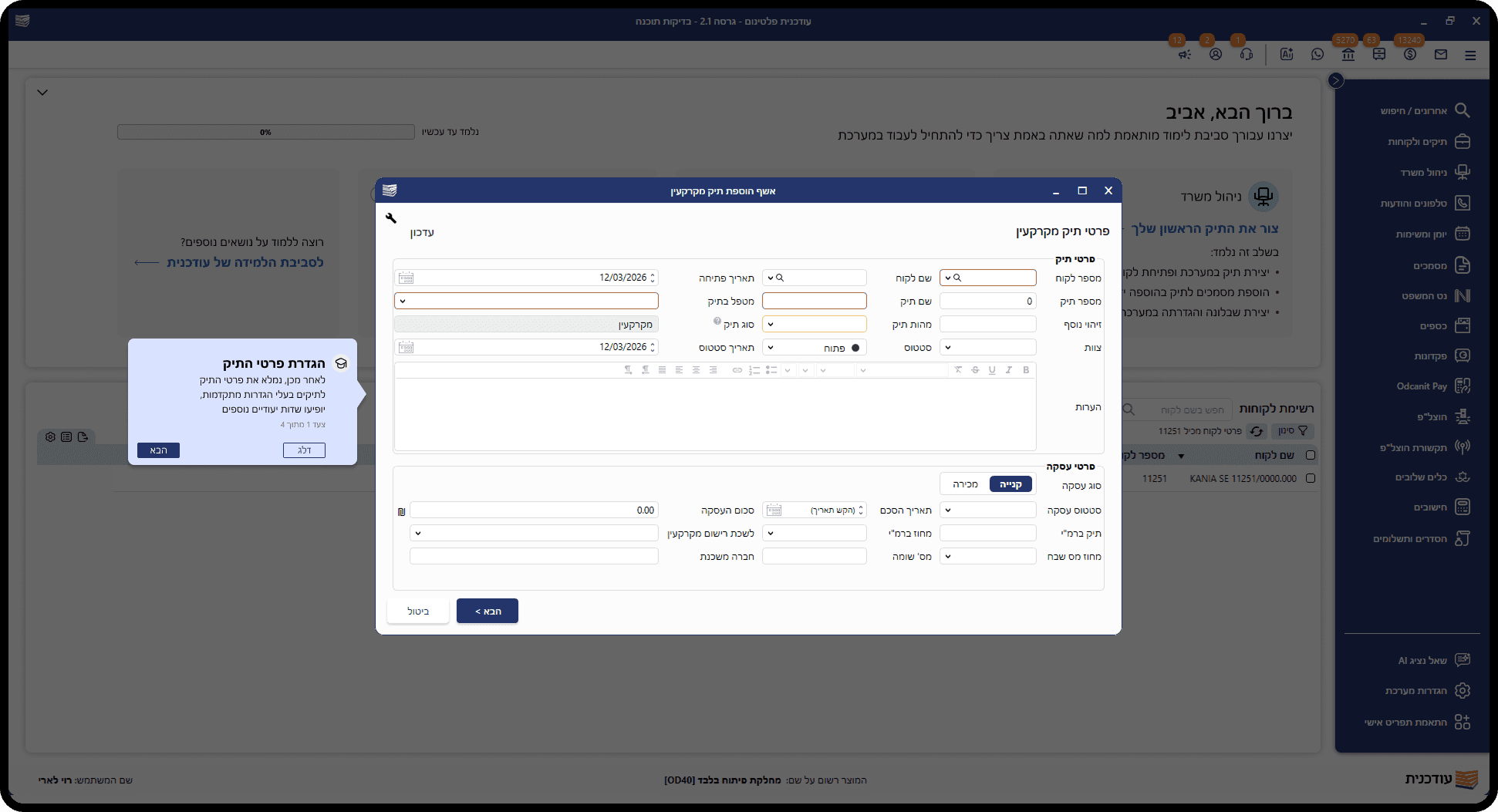
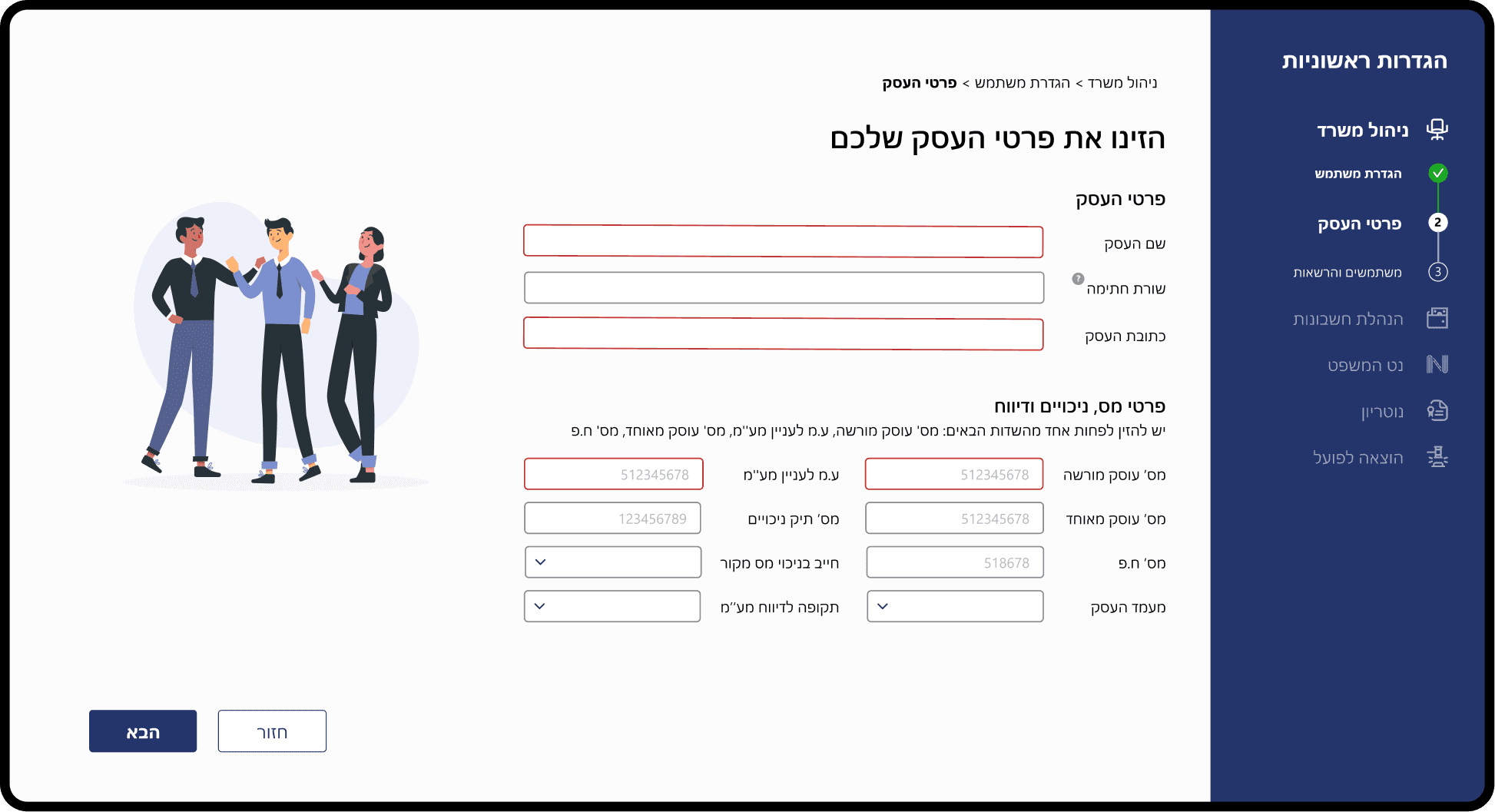
Building an onboarding setup flow for office configuration and core workflow
THE PROCESS
Discovery & User Research
To understand why the process was slow and complex for our users, I made 3 main steps:
Observation
Watching dozens of live training sessions to witness the real-time interaction between instructors and new users within the system
Mapping & Timing
Tracking usage data to identify inefficient workflows and repetitive actions that slow
users down
User Interviews
Interviewing users immediately after training to point out what information was retained and which parts were confusing
Identifying the Pain Points
After synthesizing the research, I mapped out the core friction points.
We identified four core issues that contributed to a high cognitive load:

Information Overload
The manual training sessions were too long and covered too much technical ground at once. Users felt overwhelmed and forgot most of the instructions the moment the training was over

The "Wait" Gap
Even after purchasing the software, users were stuck in a "waiting zone" for days or weeks because they couldn't perform even the simplest setup tasks without a trainer, who set up their software and train them

Lack of Independence
The system’s complexity made users feel dependent on support. Basic configurations. like adding a team member or setting up a digital signature, felt like "expert-only" tasks

Fear of Making Mistakes
New users are often afraid to click around because of the complexity. Without a safe way to learn, they stay stuck in their old habits and are too scared to try any of the new tools on their own
Mapping Users & Business Goals
To create a successful onboarding experience, I had to balance the company’s operational needs with the users frustrations.
Users Goals
Business Goals
Defining the Core Flow
I collaborated with the CEO's, Product, and Training teams to brainstorm solutions.
To decide which processes should be part of the self-guided onboarding, I mapped all existing training tasks and filtered them based on two main criteria:

Frequency
How often is this used?

Criticality
Can they work without it?
Based on our research with both trainers and users, we mapped out a streamlined flow designed to get new users up and running independently.
High-Fidelity Wireframes
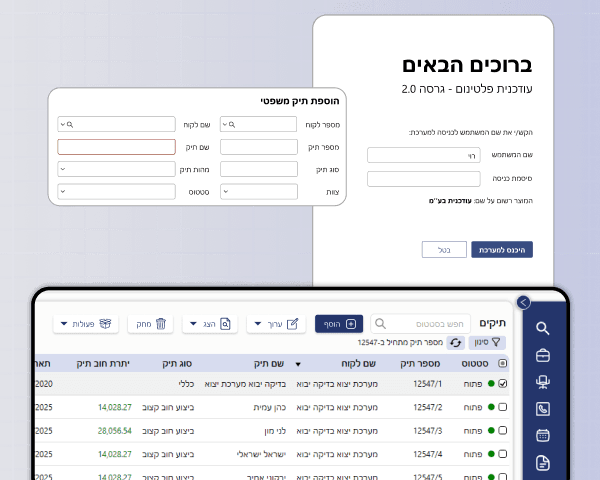
To transform the complex legal setup into a seamless start, I designed a two-phase onboarding strategy that balances technical necessity with user confidence.
Smart Configuration
This phase focuses on gathering essential firm data through a simplified, step-by-step flow. By automating complex backend dependencies upfront, we clear the path for a personalized, 'ready-to-work' environment from the very first login.
Connect CMS Image fields (Image 1–10)
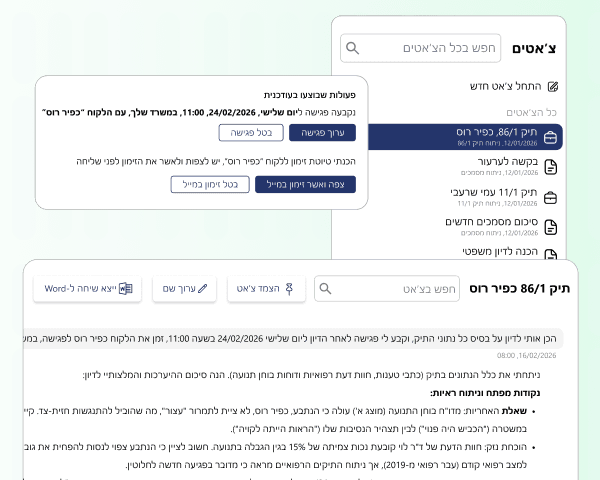
Guided Mastery
Once inside, users are met with interactive walkthroughs that teach the core functionality in context. These guided tasks ensure that every legal professional achieves their 'first win' within minutes, reducing the learning curve and driving immediate product adoption.
Connect CMS Image fields (Image 1–10)
Impact & Feedback
Success was defined by more than just aesthetics, it was about reducing the daily friction.
The updated interface allowed a smoother transition from complex data management to actionable legal insights.
To verify the results, we tracked user performance for two months and followed up with surveys and interviews to see how the changes affected their daily work:
Instant
From ~5 days wait to immediate start
40%
Reduction in manual training hours
75%
User confidence after onboarding
32%
Decrease in new users help requests