Platform's Redesign
Introduction
“Odcanit Platinum” is Israel’s leading legal CRM platform, with over 4000 law firm offices.
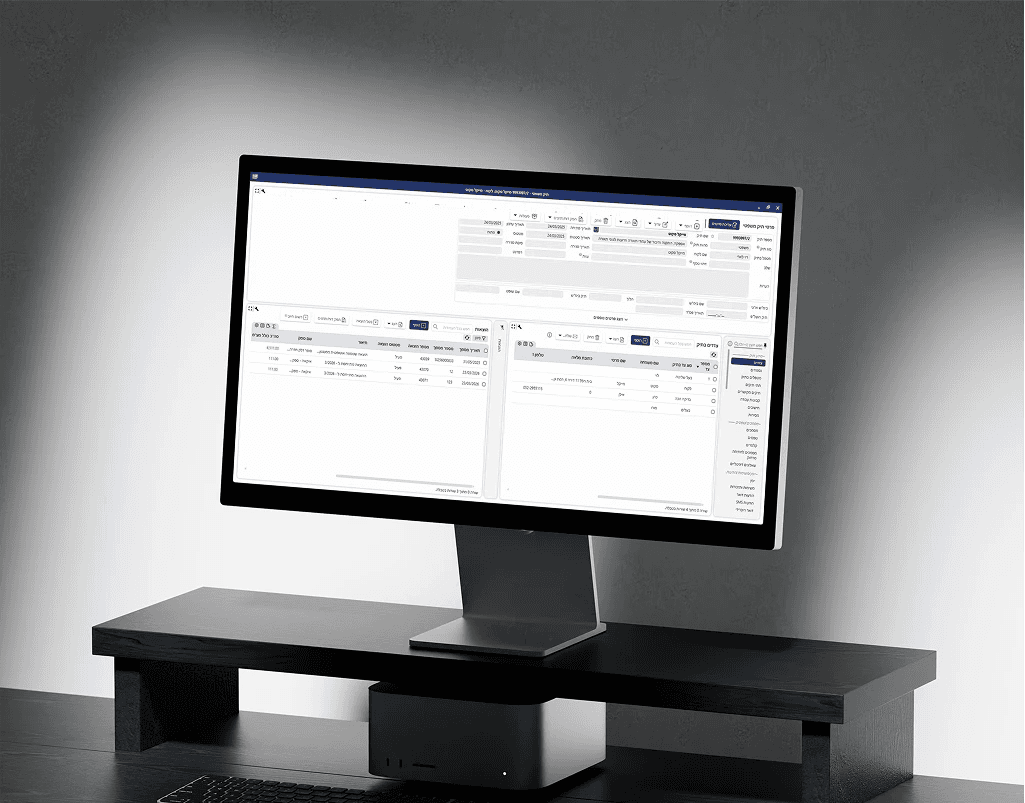
As a sole Product Designer, I was tasked with spearheading a complete end-to-end redesign of this robust, data-heavy ecosystem. The primary goal was to modernize the system without compromising the efficiency and speed that its expert users rely on.
My Role
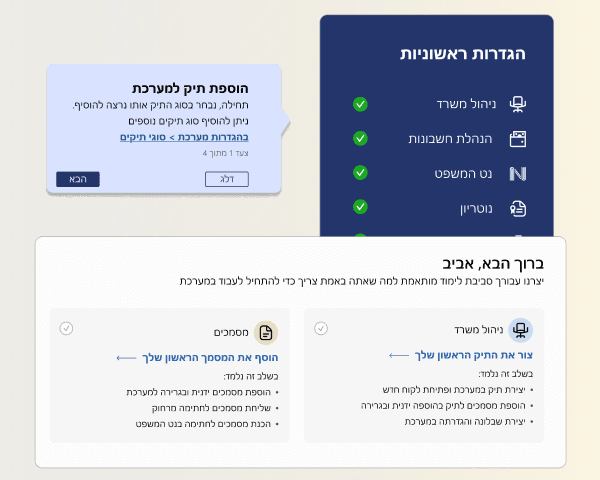
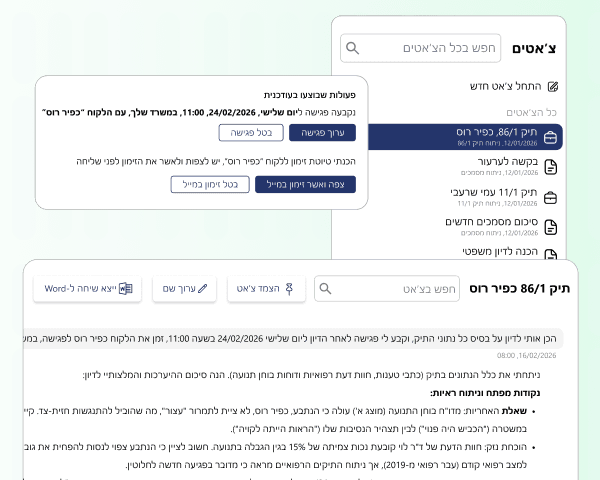
Led the visual and functional evolution of the platform, transitioning to a modern and intuitive visuals
Conducted user research through user interviews and data analysis to identify and resolve core pain points
Executed a complete UI overhaul, new design system including a full color-palette redesign and the establishment of a consistent, modern visual language
Redesigned key user journeys and core system processes to improve efficiency and simplify complex legal workflows
Project Scope
Team - Myself, Product Team lead, Development, and Product teams.
Duration - 16 weeks from scratch to production
Tools
Design - Figma
Collaboration - Interior systems
The Problem
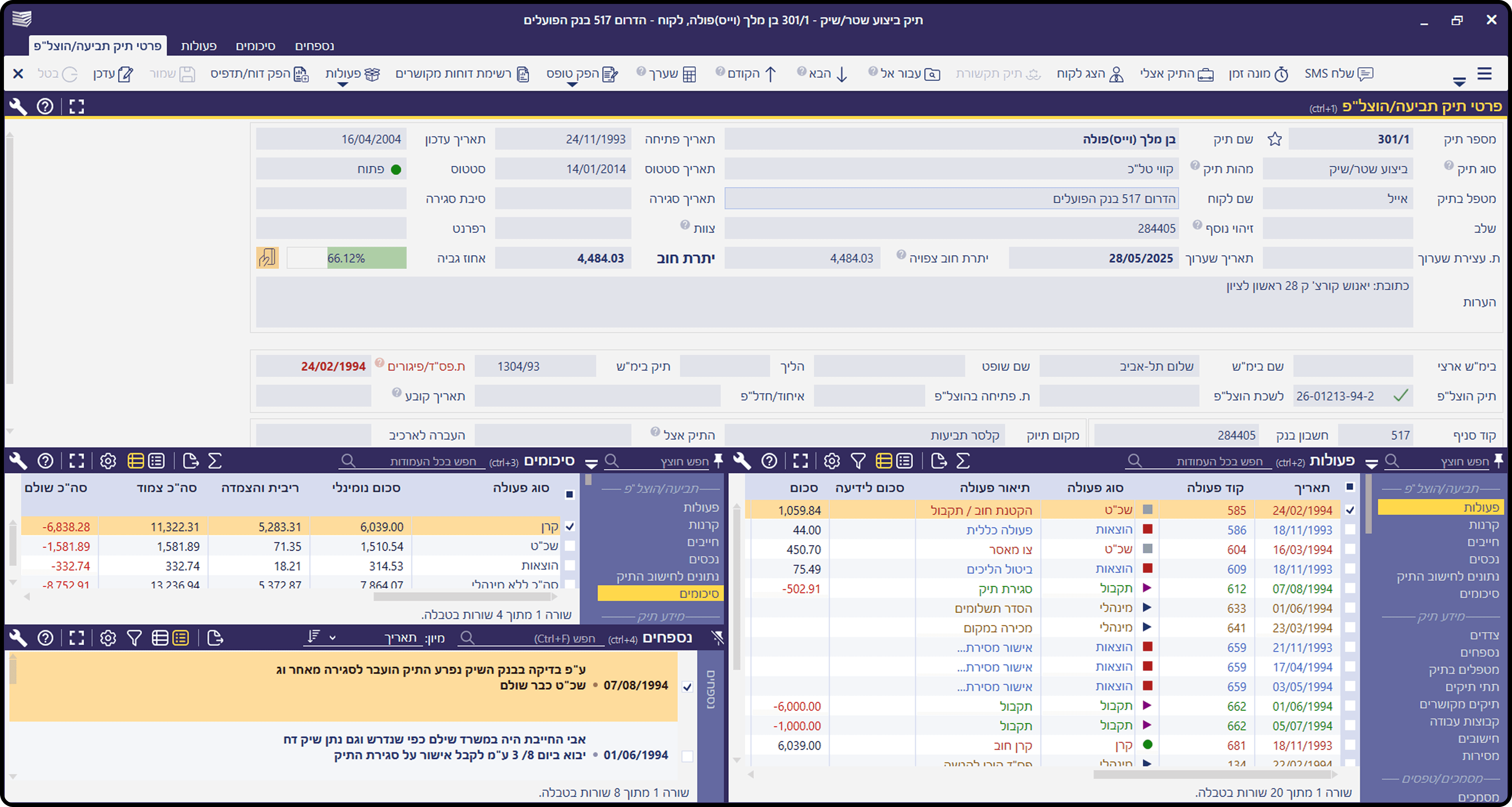
Users found the system outdated, cluttered, and difficult to operate.
Through data analysis, surveys, and direct user interviews, we identified the core pain points of the existing platform. The feedback was clear - the system lacked an intuitive flow and felt behind compared to modern market solutions.
We discovered that misplaced UI elements and "quick-fix" legacy solutions created over the years had led to significant cognitive load and complex flows. Users struggled to find their way through the interface, hampered by an outdated look and feel that didn't align with their workflow needs.
67%
Felt the interface was outdated and cluttred
78%
Felt that simple actions requiring lot of clicks
53%
Often need to ask for help with basic tasks
60%
Struggled to scan and find data quickly
The Strategic Challenge
Modernizing a CRM system with years of established user habits
The platform has been a market leader for years, it has a massive, loyal user base.
The biggest challenge wasn't just simplify the workflow - it was evolving the product without breaking the workflow that users rely on.
We had to find the perfect balance: updating the outdated look and improving the functionality, while ensuring that long-time users could perform their daily tasks with the same speed and muscle memory they've built over a decade.
The Solution
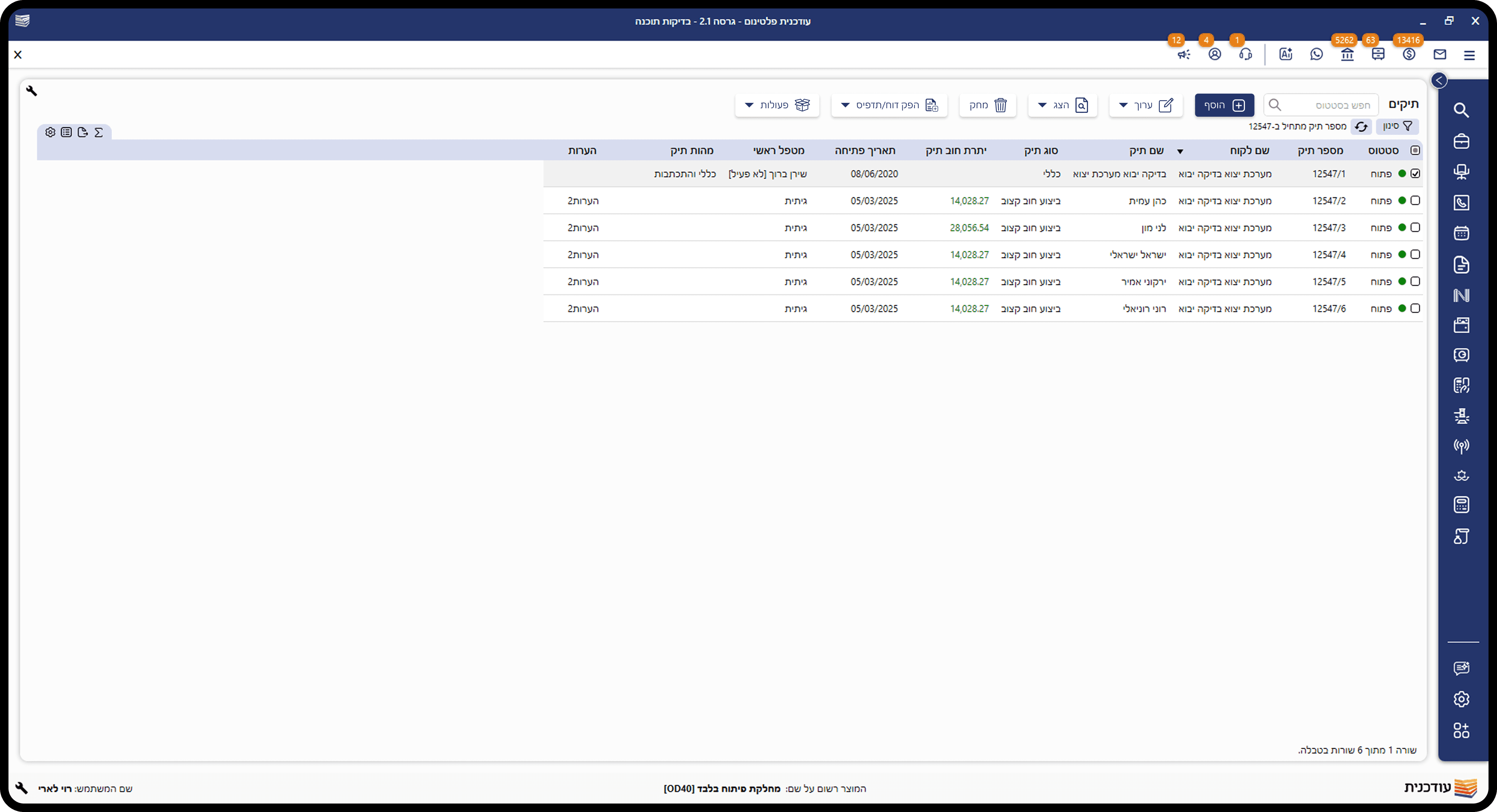
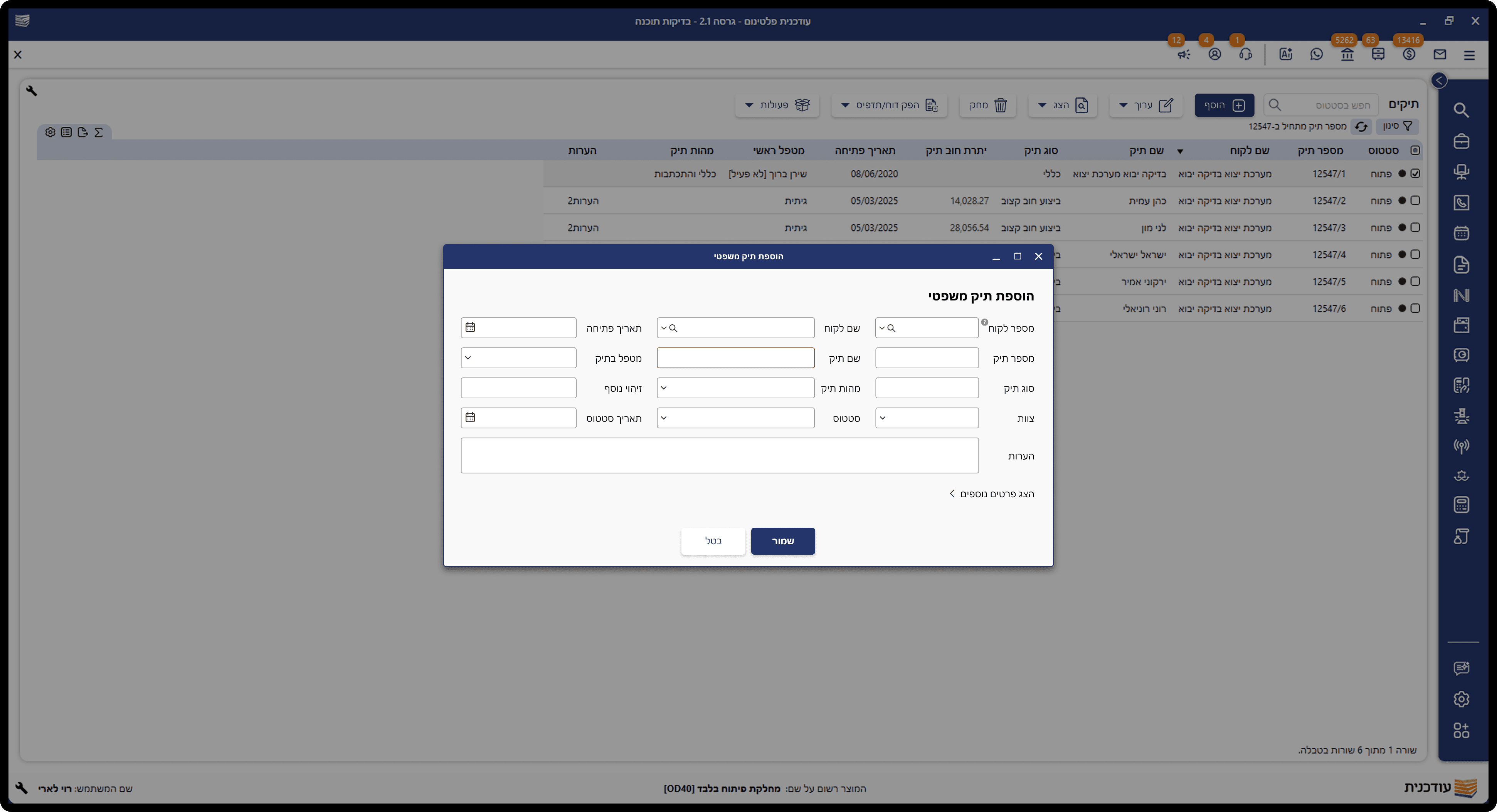
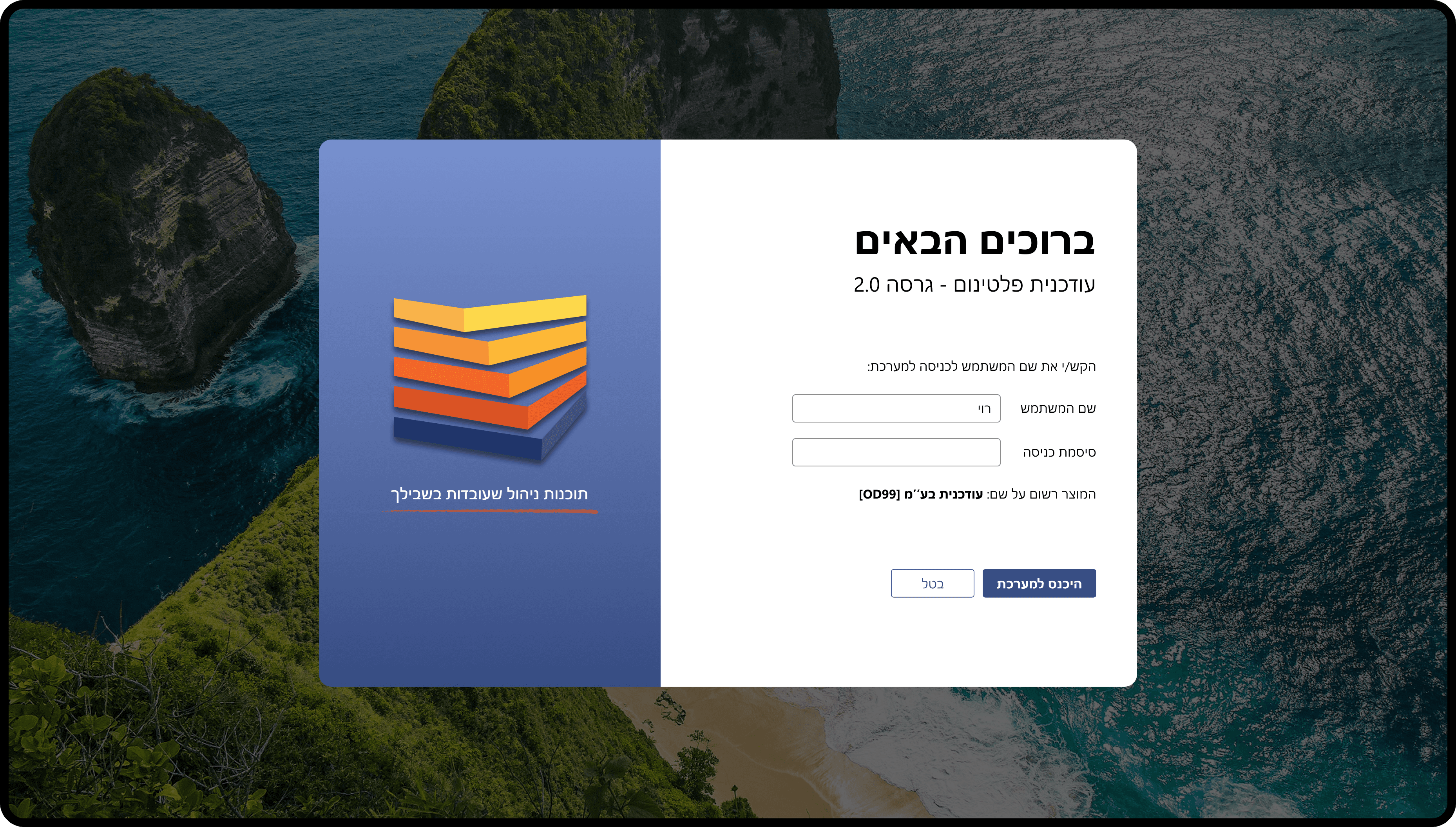
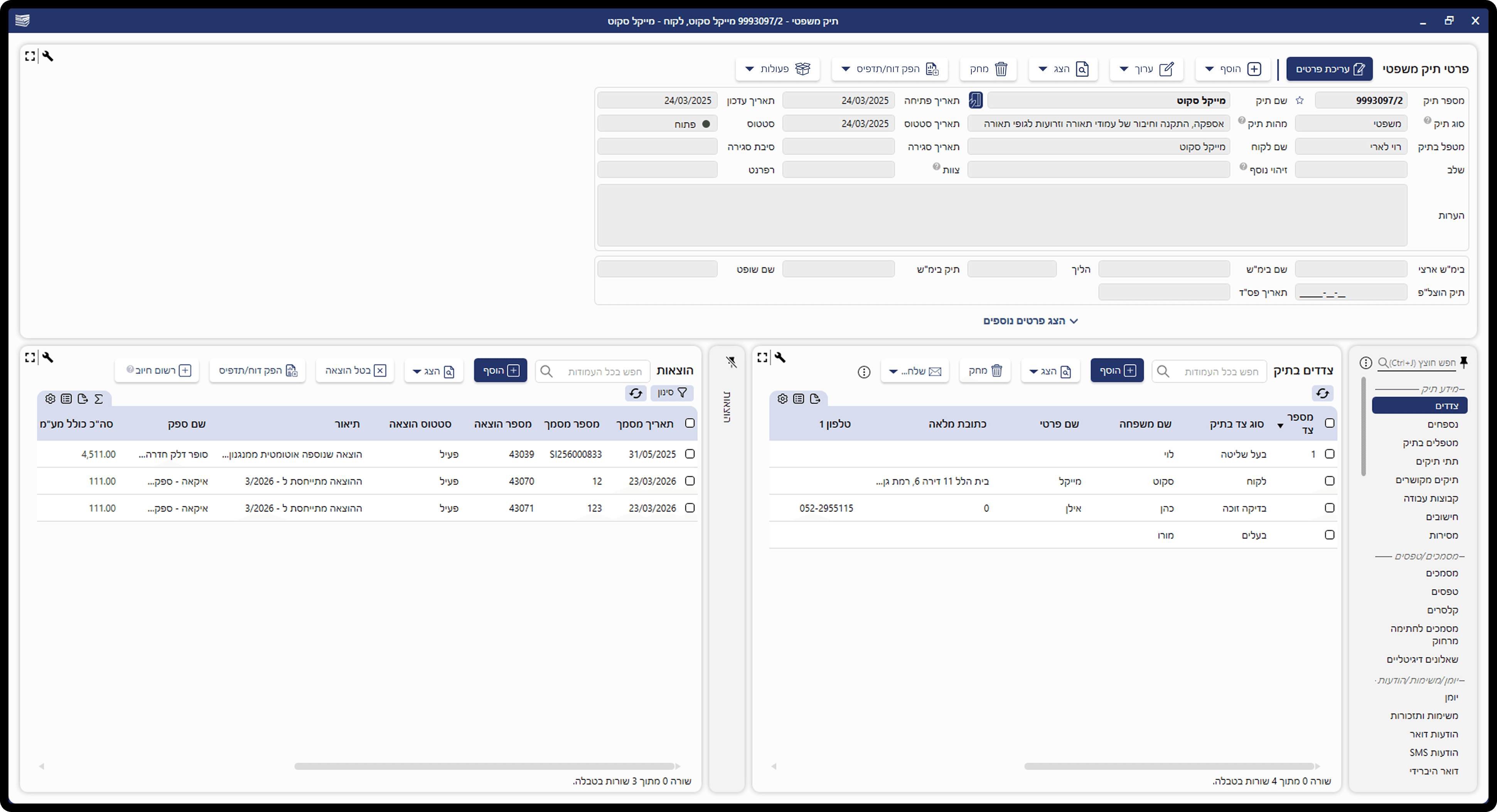
A modern and intuitive interface built to simplify complex legal tasks and enhance daily productivity.
THE PROCESS
Discovery & User Research
I combined quantitative data with qualitative research to get a full picture:
Data Analaysis
Tracking usage data to identify inefficient workflows and repetitive actions that slow users down
Surveys & Interviews
Gathering direct feedback from the users to understand their daily frustrations and expectations from the system
Observations
Observe users work in their natural environment to catch the small, 'invisible' struggles they don't mention in interviews
This allowed me to understand not just what users said, but how they actually behaved
Identifying the Pain Points
After synthesizing the research, I mapped out the core friction points.
We identified four core issues that contributed to a high cognitive load:
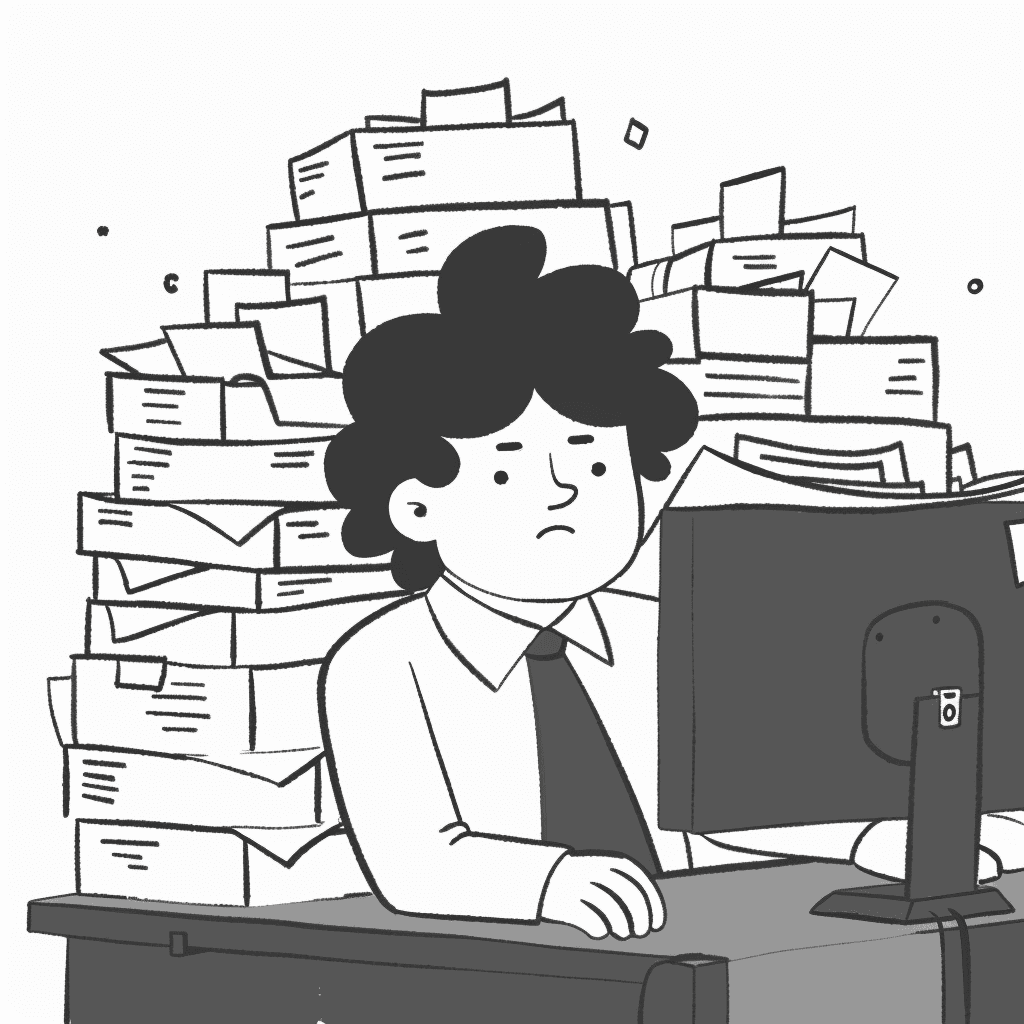
Zero Breathing Room
A lack of white space and proper spacing made it difficult for users to distinguish between different sections of the platform.
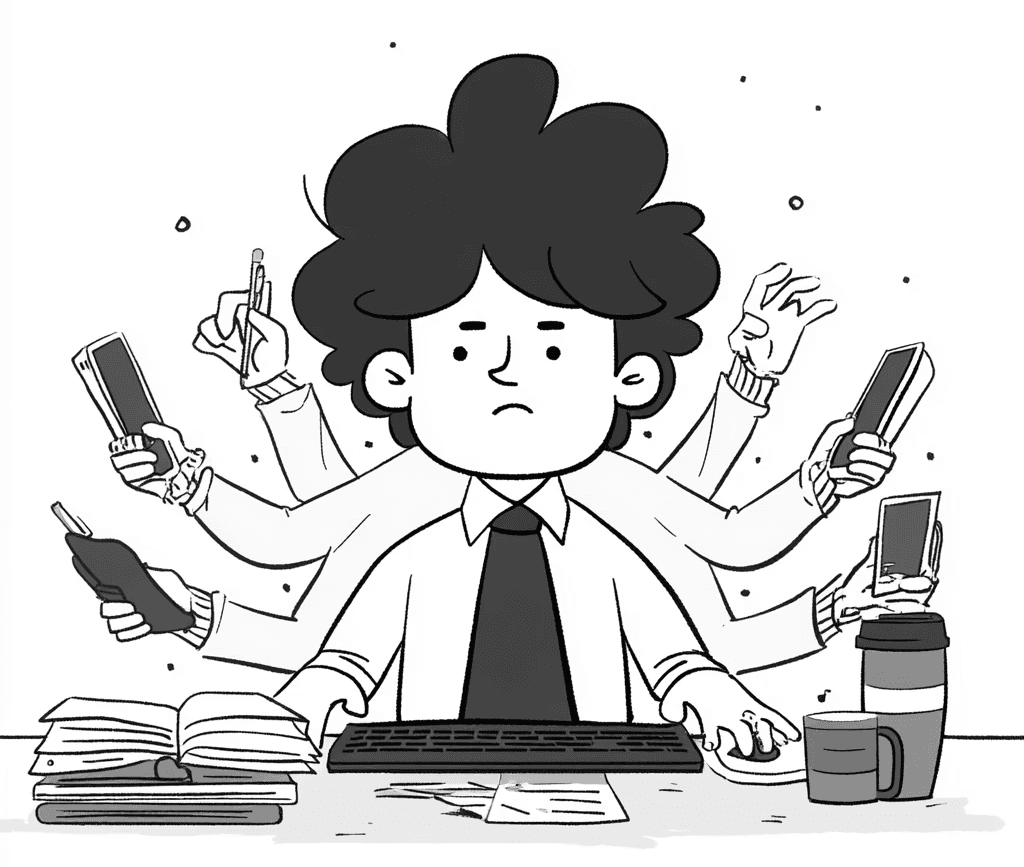
Action Overload
Screens were cluttered with too many buttons and primary actions competing for the user’s attention at the same time.

Visual Noise Overload
An inconsistent and excessive use of colors created confusion, making it hard to identify the most important information.
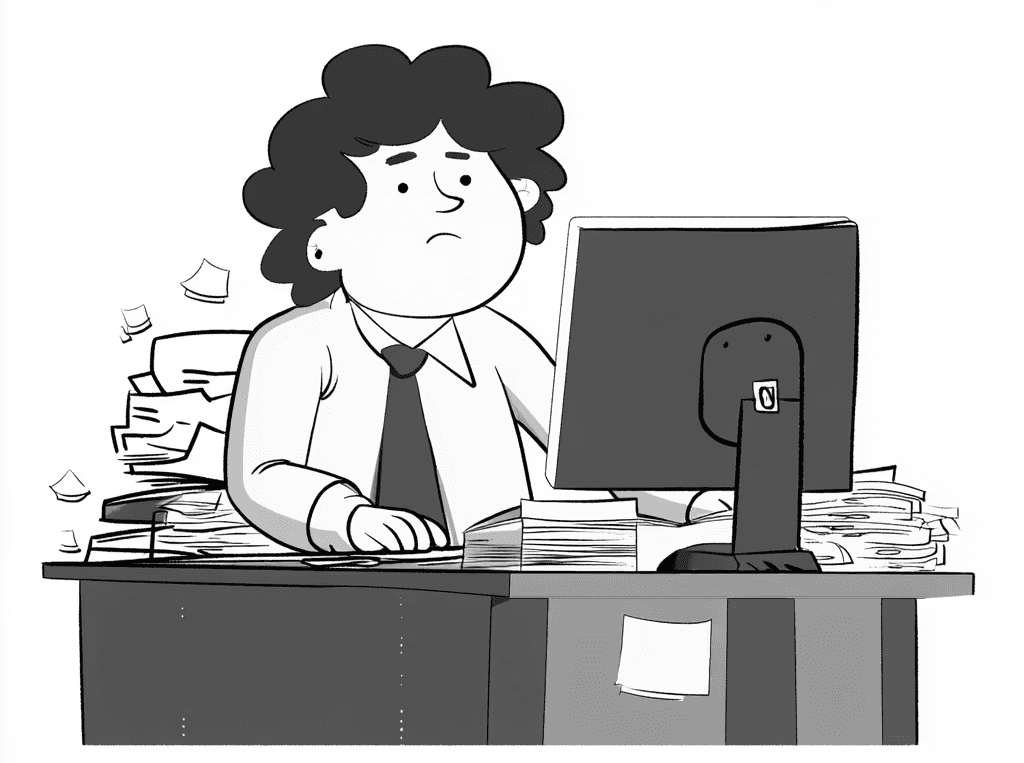
Misplaced Focus
Action buttons were often disconnected from the user's focus area, forcing constant eye movement and slowing down task completion.
Brainstorming & Constraints
Before sketching any solutions, I synchronized with the PM, CTO, and CEOs to understand our technical boundaries and business priorities.
We evaluated the existing architecture to decide which areas required a complete overhaul and which could be improved gradually.
Since the platform has been used by our users for many years, we had to balance innovation with familiarity. It was crucial to modernize without breaking the well-established habits of our long-term users, ensuring a smooth transition rather than a disruptive change
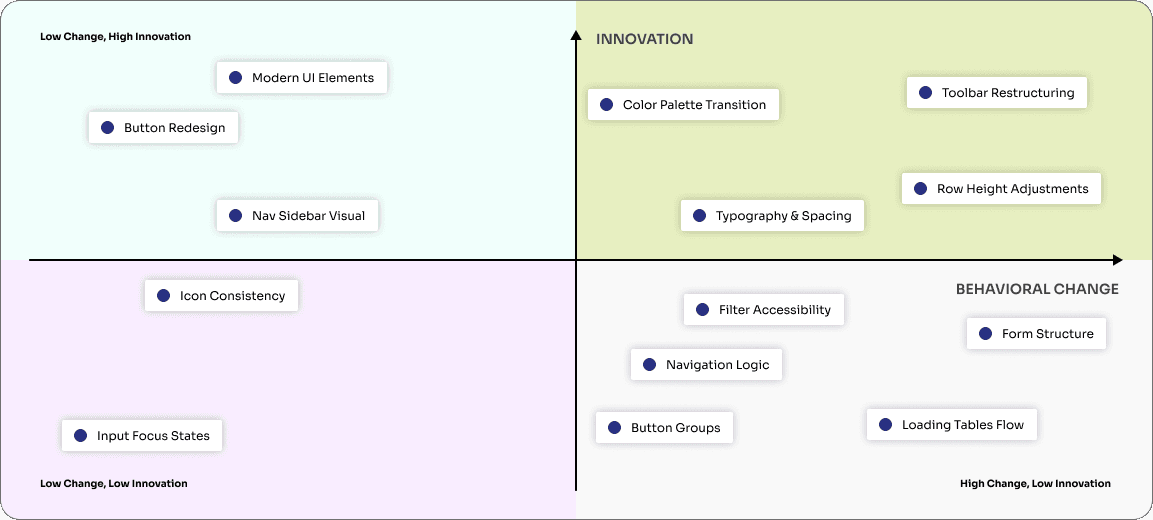
Main UX & Visual Evolution
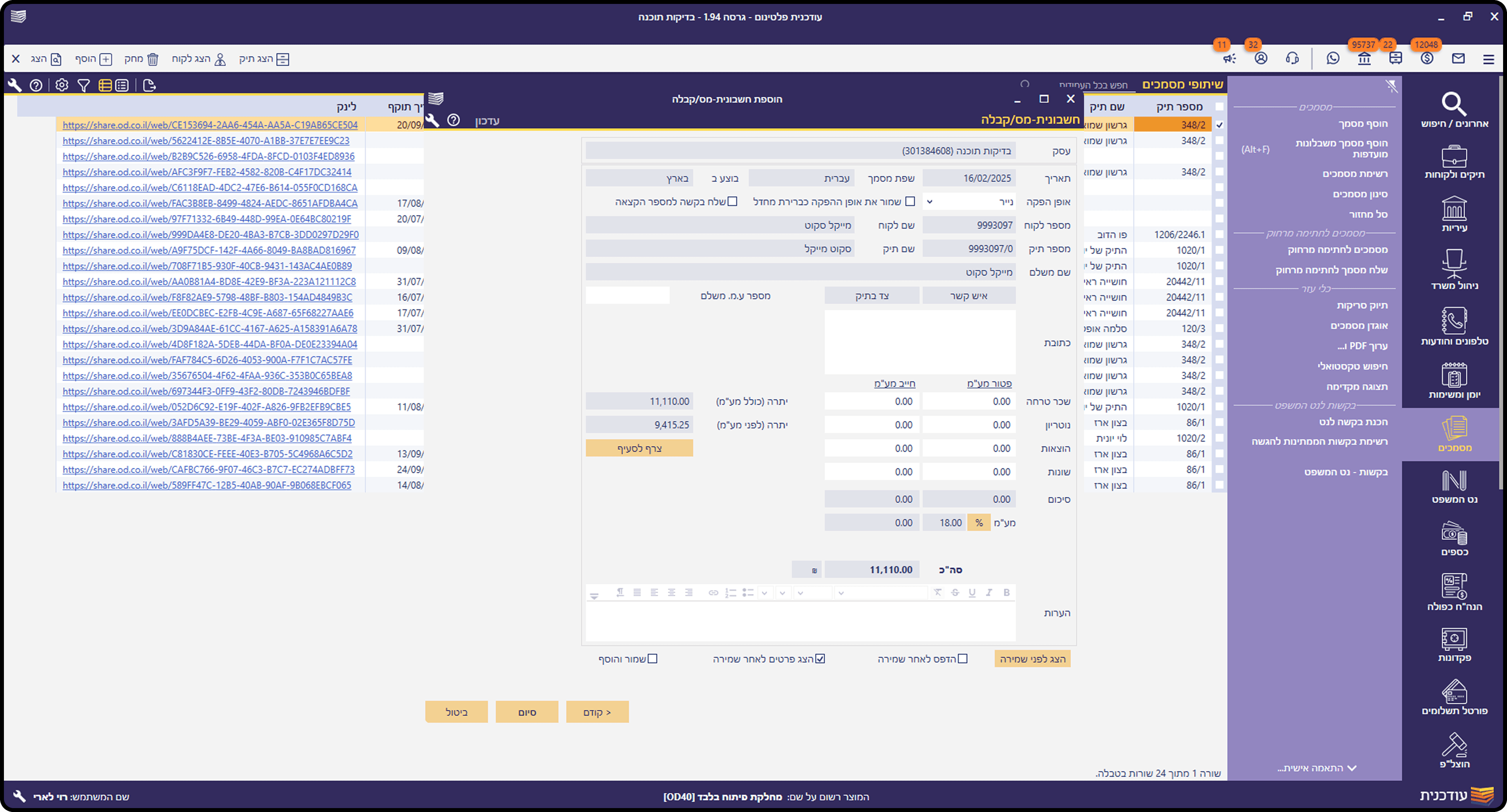
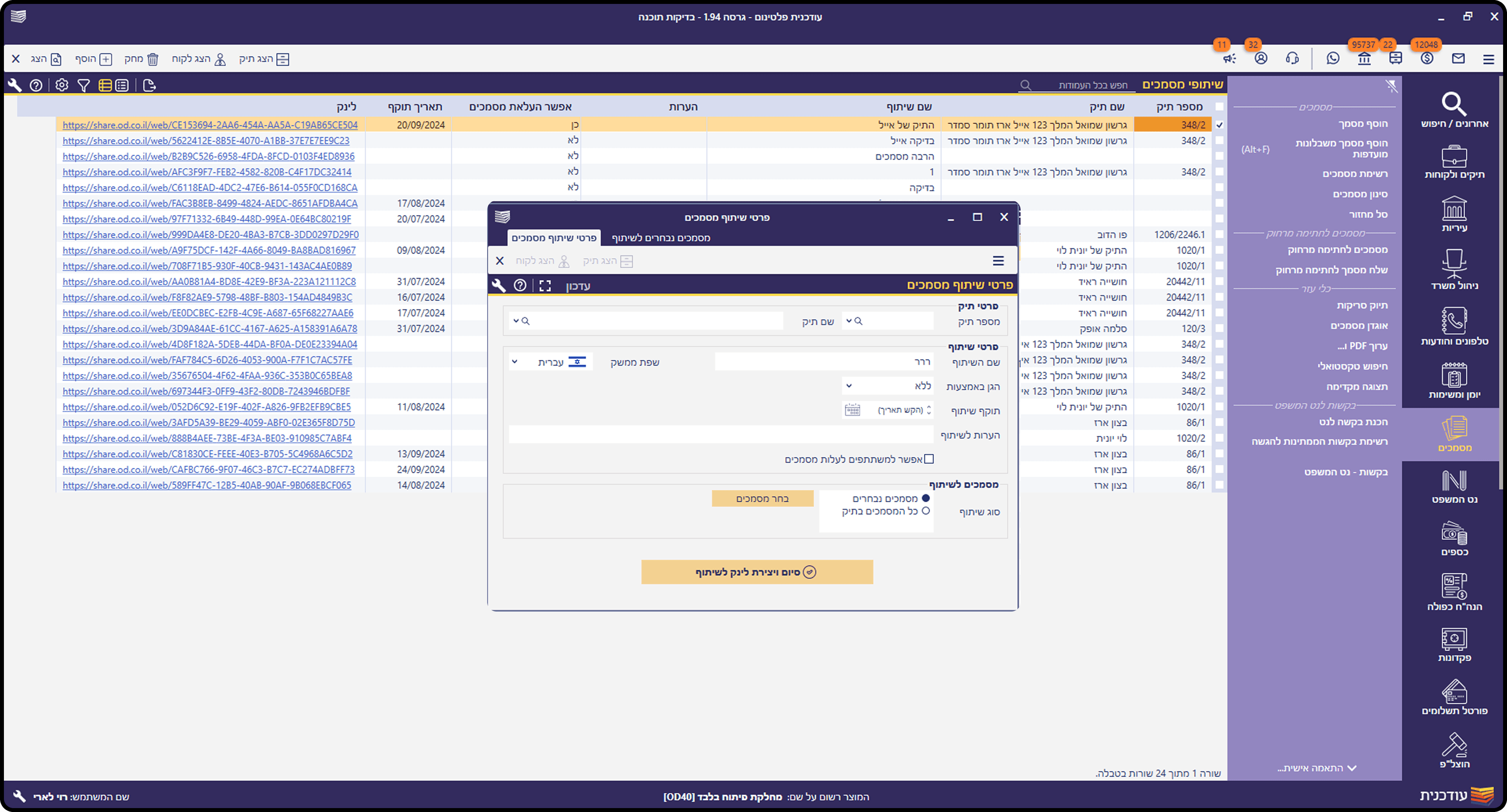
The primary goal of the redesign was to reduce cognitive load and create a more breathable, intuitive environment. I modernized the UI by introducing a softer design language, restructuring the layout for better information hierarchy, and removing visual noise that distracted users from their core tasks
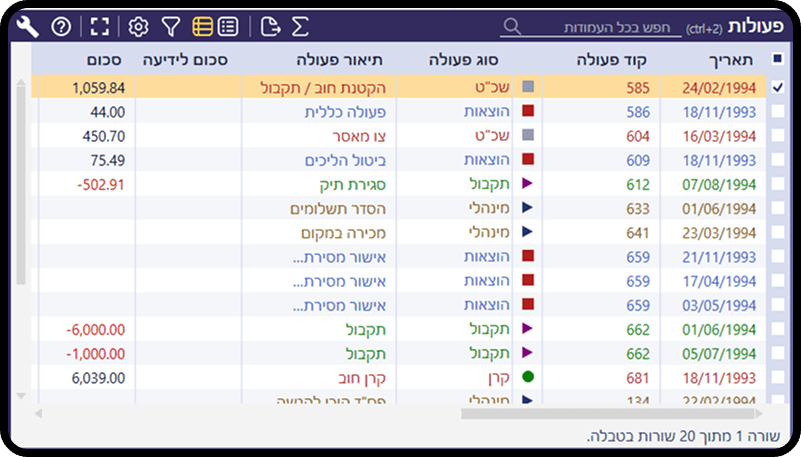
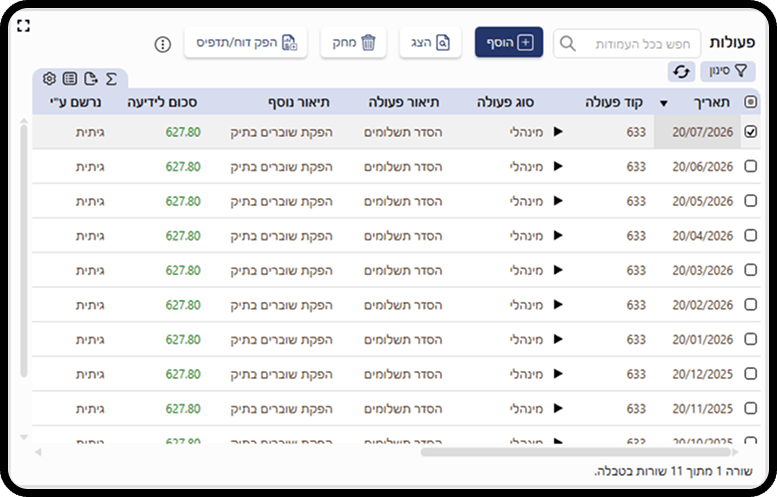
Contextual Action Bar
The toolbar was detached from its context - a single bar that shifted based on the active panel, with actions aligned LTR in a RTL system. Users couldn't predict what would appear or where to find it easily:
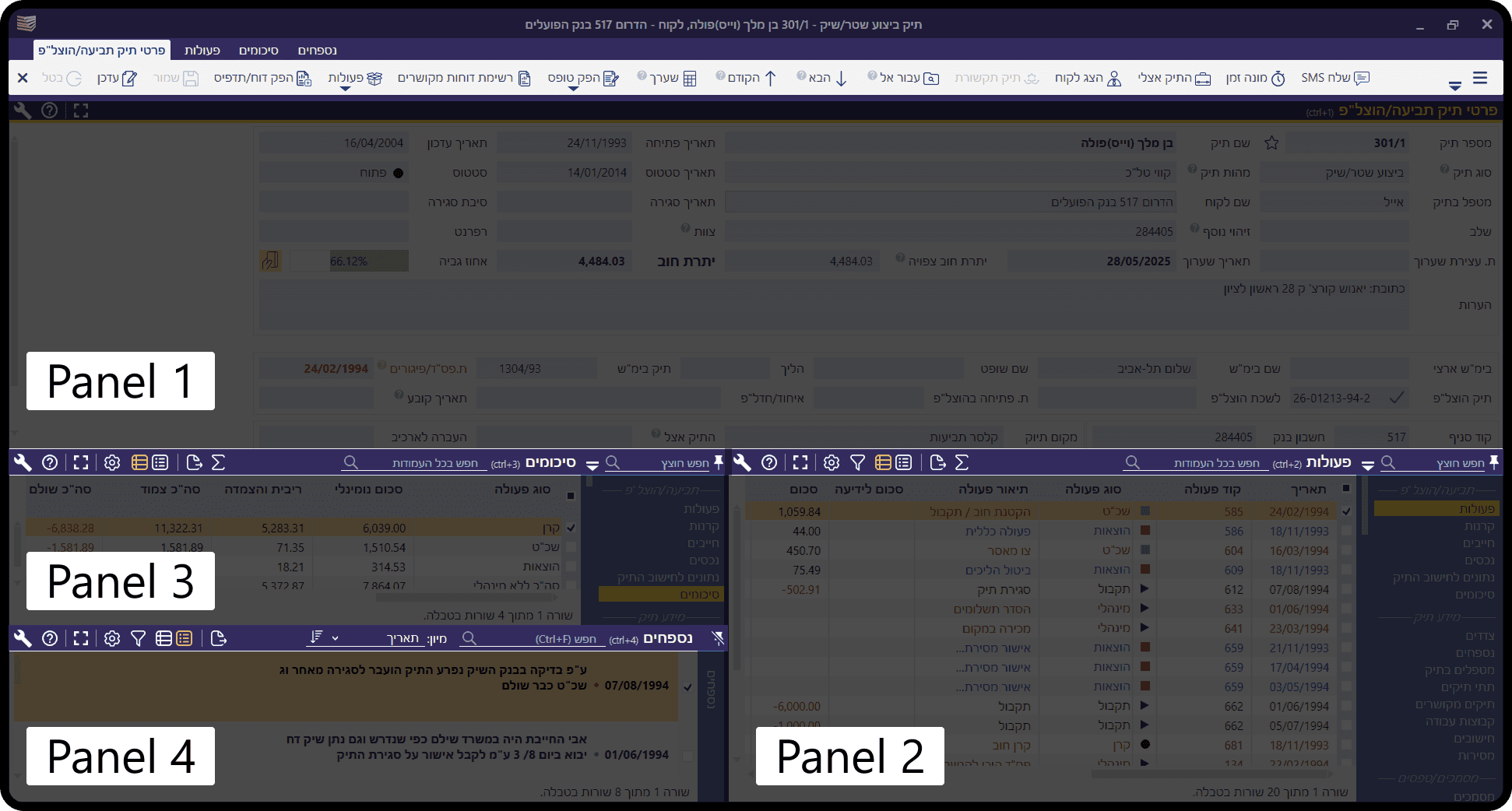
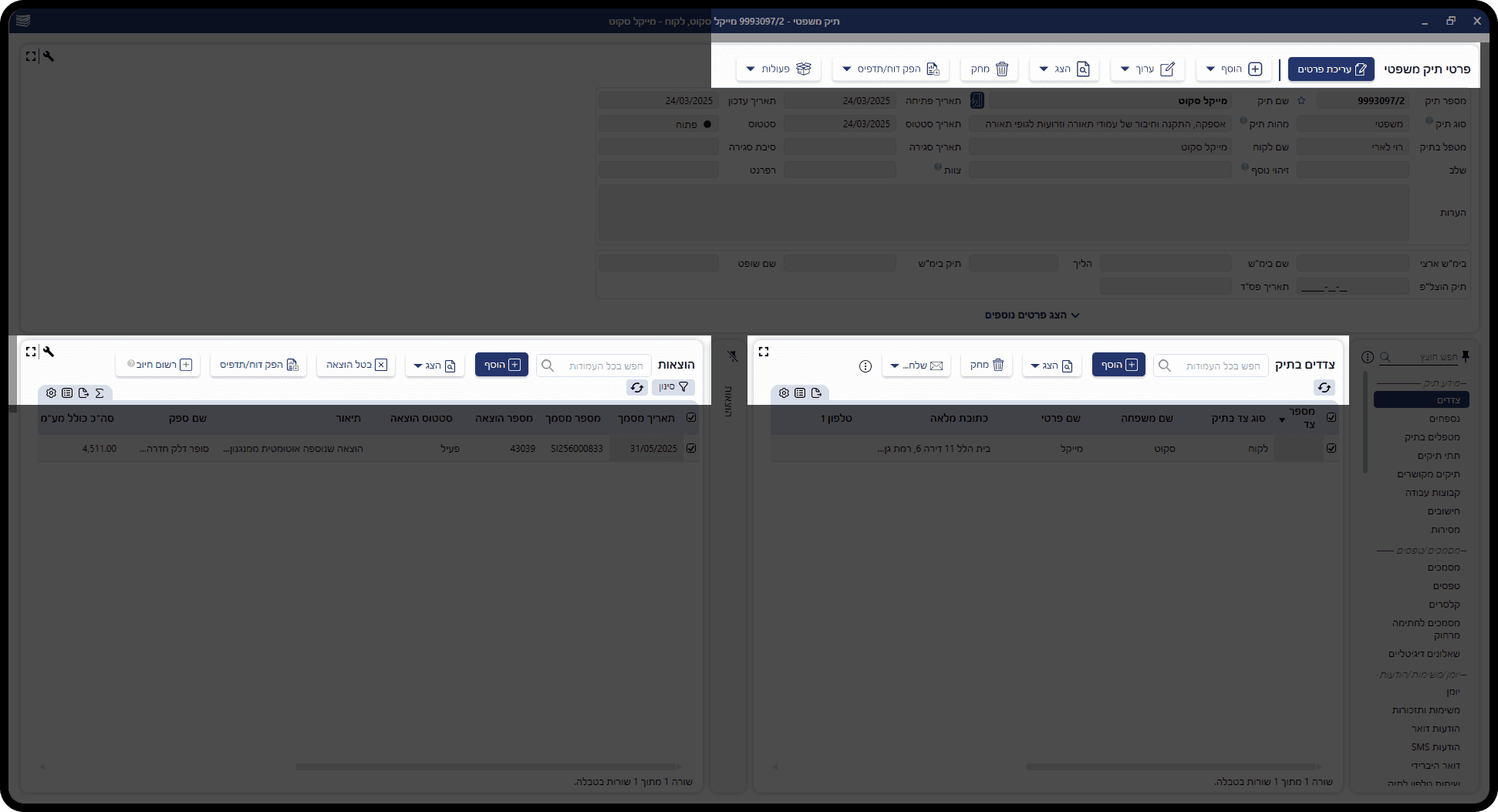
Table UI & Row Height
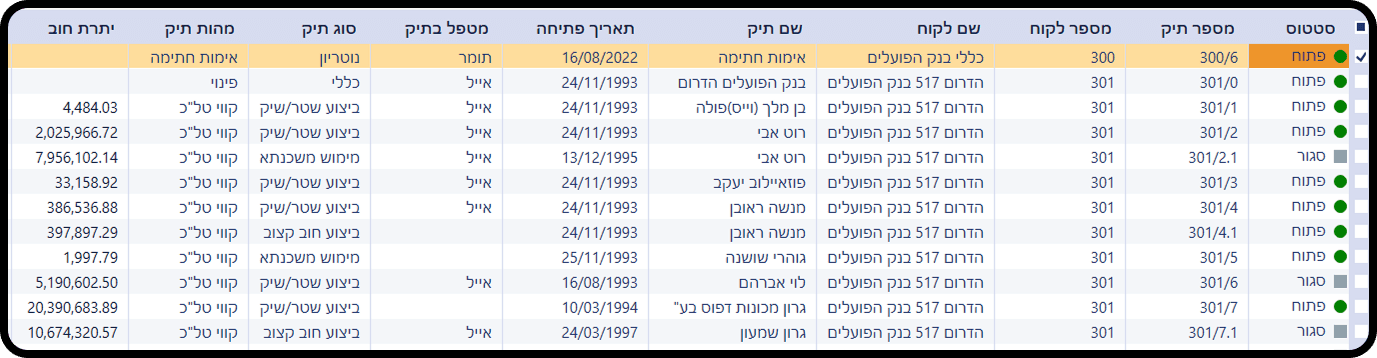
The table felt outdated, colorful and cramped - rows were too compressed to scan comfortably, and users working with hundreds of records daily had to slow down just to read the data in front of them.
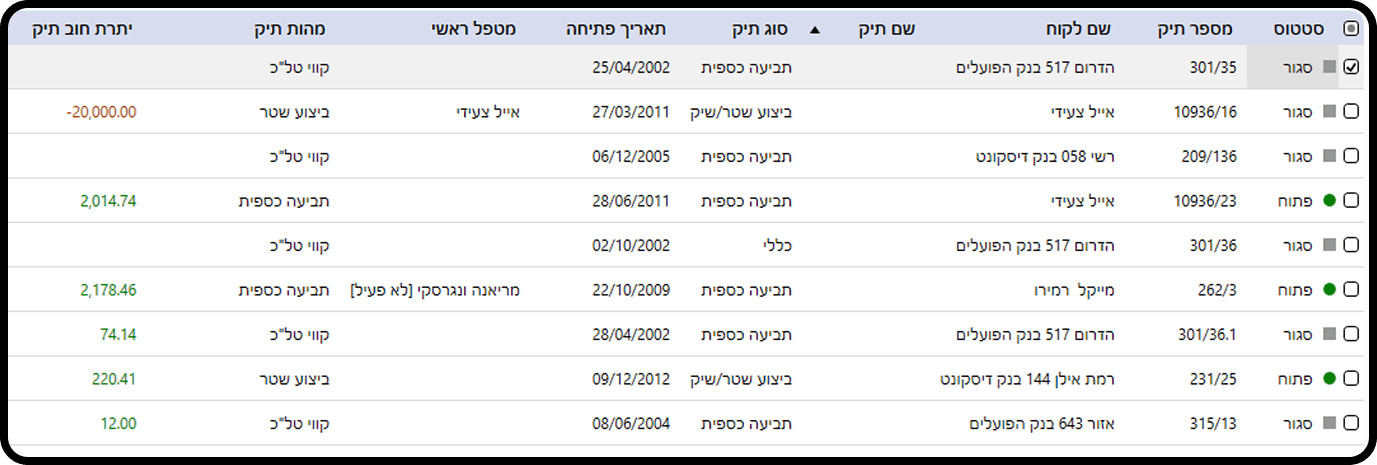
More breathing room between rows makes the data instantly scannable, and users can now move through records faster without losing their place.
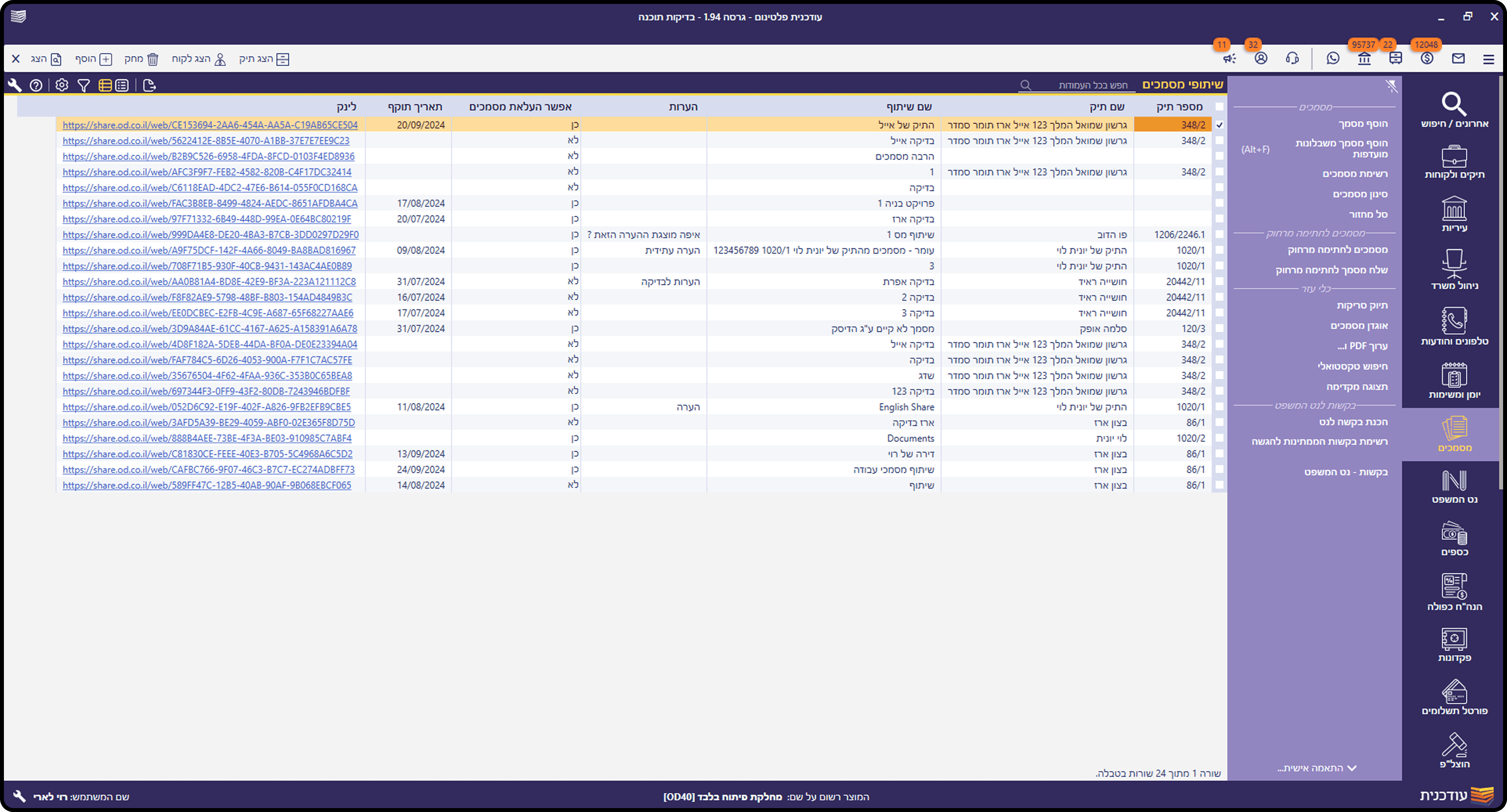
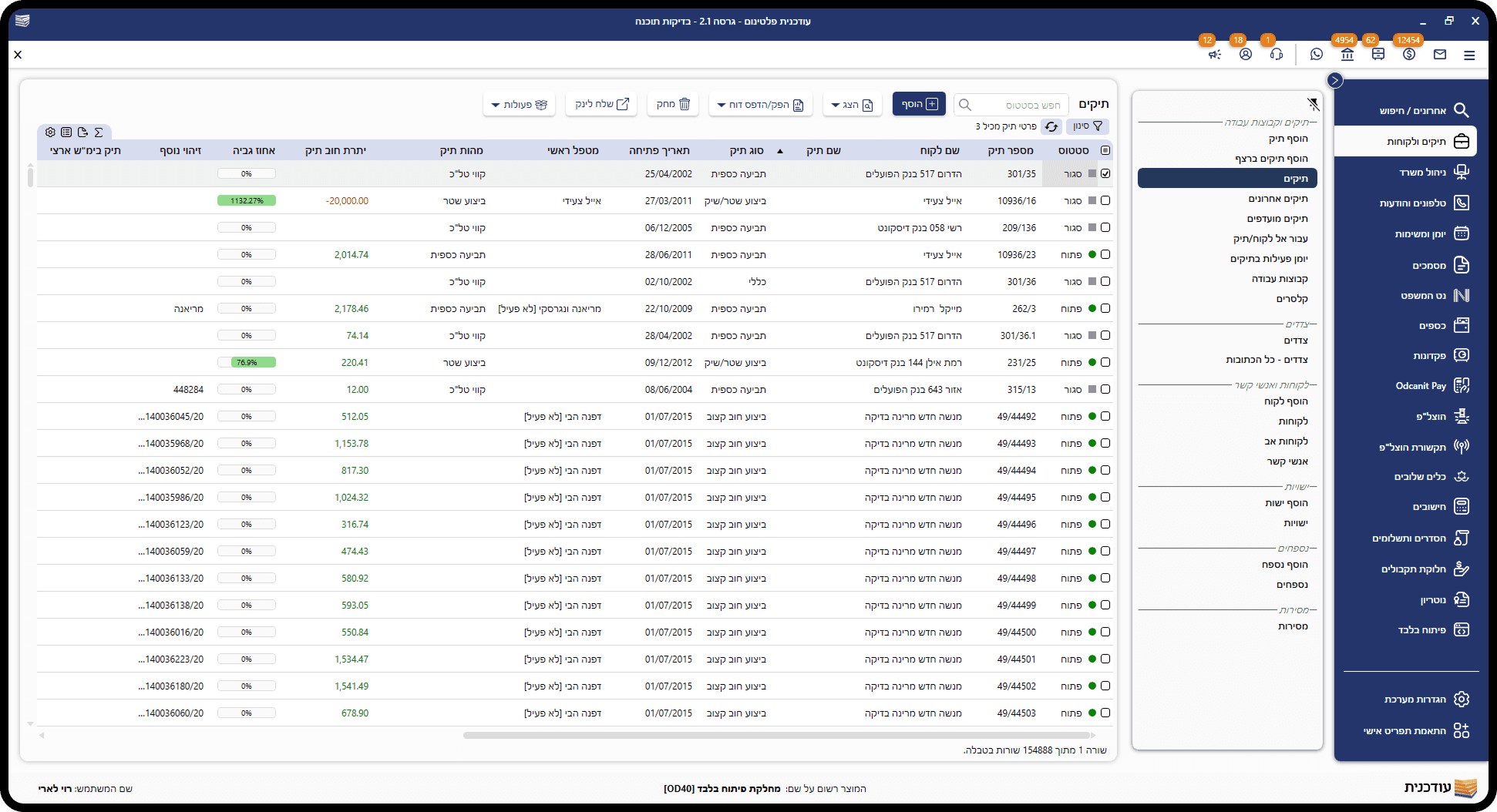
Visual Consistency
No unified visual language - every screen used a different color logic, flat gray panels with no depth, and buttons that changed color without a clear system.
The interface felt like a collection of screens, not a single product.
Navigation
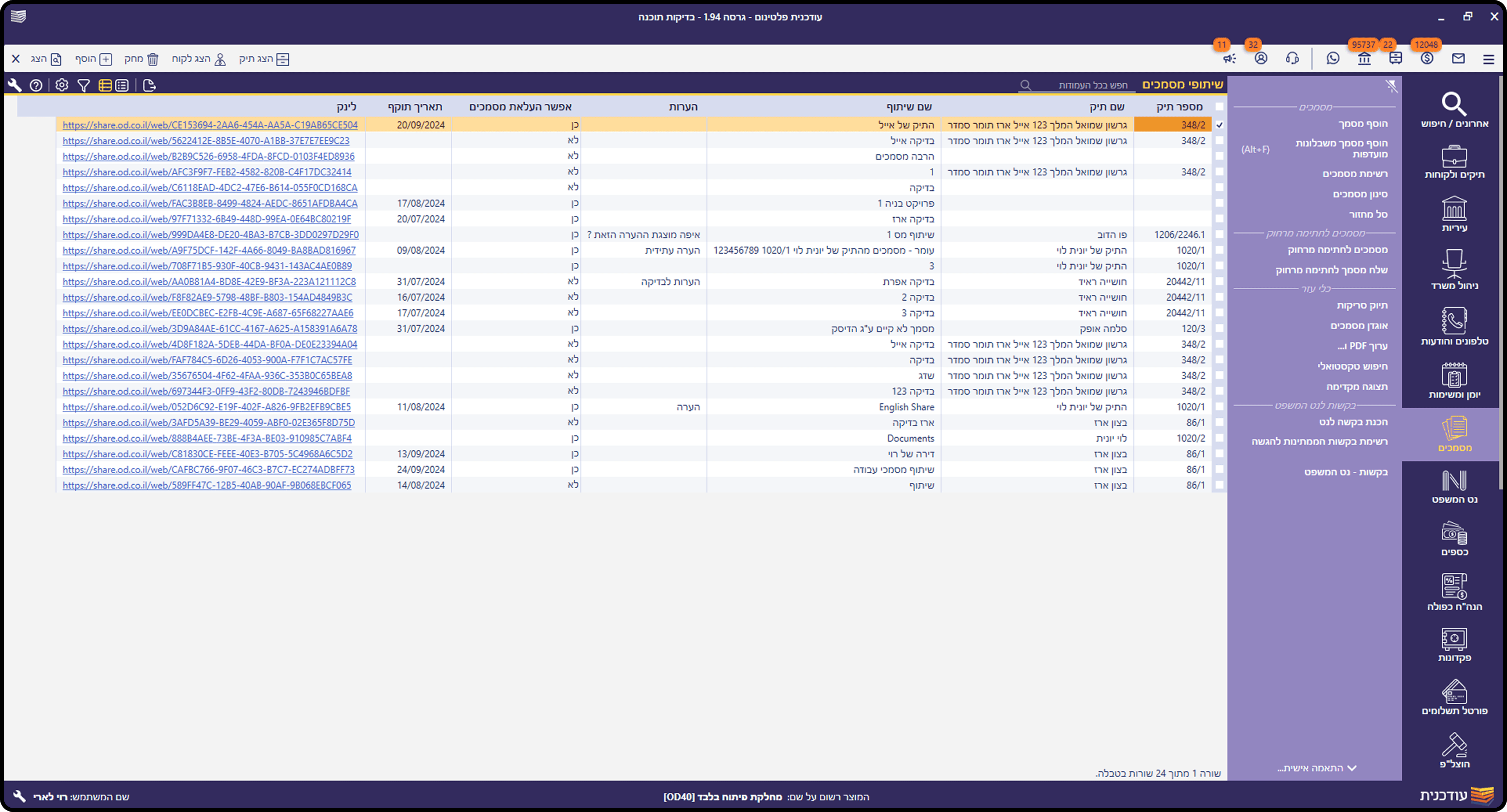
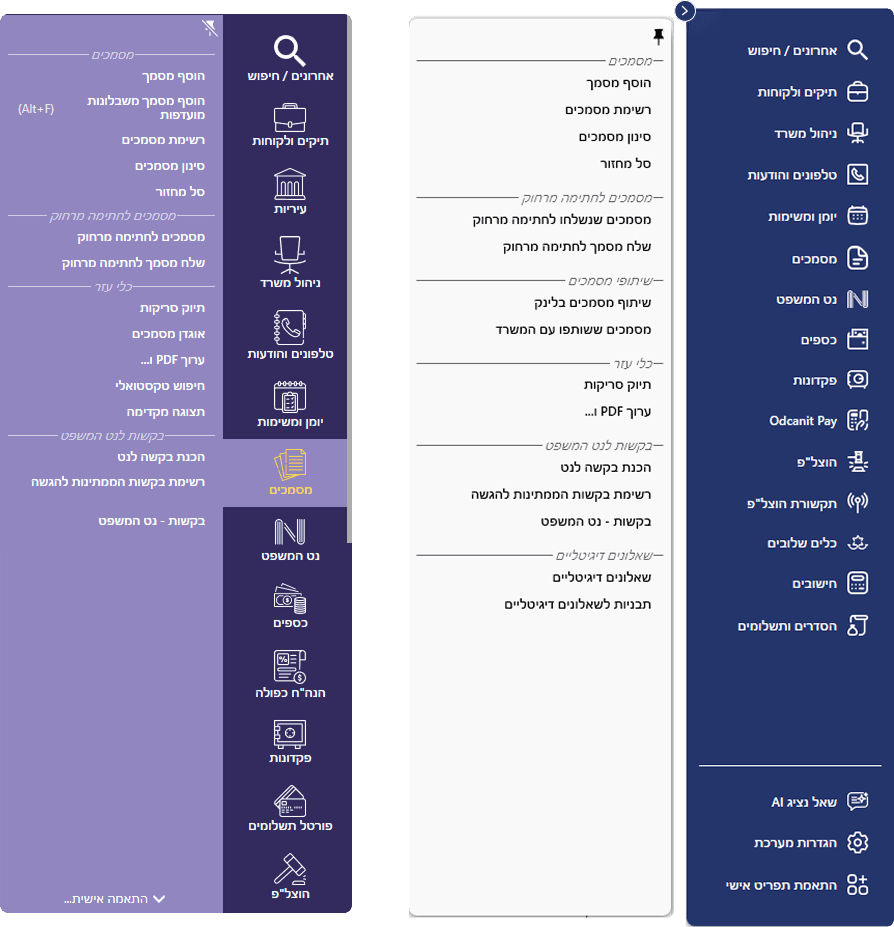
The old sidebar used a purple color scheme that was never part of the brand, creating a visual disconnect between the navigation and the rest of the product.
We redesigned it with the brand's primary dark blue, unified modern icons, consistent spacing, and added permanent system settings and action buttons at the bottom. A collapse button was also introduced for laptop users who need more screen space
Impact & Feedback
Success was defined by more than just aesthetics, it was about reducing the daily friction.
The updated interface allowed a smoother transition from complex data management to actionable legal insights.
To verify the results, we tracked user performance for two months and followed up with surveys and interviews to see how the changes affected their daily work:
35%
Reduced basic Task Duration
87%
Existing users satisfaction rate
40%
Drop in interface help requests
1.8X
Faster data scanning